

MS Office5
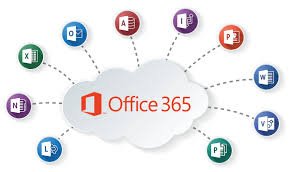

Office 365 is part of Microsoft 365. You can license Office 365 alone or as part of a Microsoft 365 subscription. Microsoft 365 includes additional security and compliance features, as well as Windows licenses, in addition to Office 365. Whilst this course focuses on the features of the Office 365 component, it is also applicable to organizations deploying and administering Microsoft 365.
This five-day course describes how to set up, configure, and manage an Office 365 tenant including identities, and the core services of Microsoft 365. In this five-day course, you will learn how to plan the configuration of an Office 365 tenant including integration with existing user identities; plan, configure, and manage core services; and report on key metrics.
Although this course and the associated labs are written for Office 365 with Windows 11, the skills taught will also be backward compatible with Windows 10. This course is based on the features available in the Office 365 E3 license as these are the core features in Office 365 and Microsoft 365 plans.
| Batch Dates | Duration | Batch Options | Language | Action |
|---|---|---|---|---|
| 16 November 2026 - 20 November 2026 | 5 Days | 4 hours & 8 hours | English/ Arabic | |
| 22 February 2027 - 26 February 2027 | 5 Days | 4 hours & 8 hours | English/ Arabic | |
| 24 May 2027 - 28 May 2027 | 5 Days | 4 hours & 8 hours | English/ Arabic | |
| 30 August 2027 - 03 September 2027 | 5 Days | 4 hours & 8 hours | English/ Arabic |
Can’t find a suitable date? Request a schedule that fits your team.
Request More InformationThe Administering Office 365 course provides comprehensive training on how to manage and configure Office 365 services, including user and group management, security and compliance features, and service health monitoring. It is designed for IT professionals who need to support and manage Office 365 environments
Participants should have a basic understanding of Microsoft Office, experience with Windows operating systems, and general networking concepts. Familiarity with cloud computing and basic administration tasks is also beneficial.
The course typically spans 3 to 5 days, depending on the training provider. This includes both theoretical lessons and hands-on practical sessions.
Yes, upon successfully completing the course, participants will receive a certificate of completion. Additionally, this course can help prepare you for Microsoft certification exams such as MS-100 and MS-101.
You can register for the course by visiting the training provider’s website, filling out the registration form, and paying the required fees. Some providers also offer the option to register via phone or email.
Choose how you learn — live online, in-classroom, at your workplace, or internationally. CounselTrain delivers certified IT training across the UAE in the format that fits your team.
Select the method that best suits your needs.
Learn from the comfort of your workplace or at home through live virtual sessions led by expert trainers.
Learn moreHighlights
Participate in interactive, face-to-face training in our top 5-star training facilities in Dubai.
Learn moreHighlights
Learn a customised curriculum in your workplace to ensure the most impact and team participation.
Learn moreHighlights
Participate in our international training sessions and improve your abilities with world-class instructors.
Learn moreHighlights
Other courses in the same category that might interest you.


